QMDC — A Markdown-native context graph for humans and agents
Human-readable docs. Machine-queryable graph. Agent-ready context.







Alpha release
QMDC is early and moving fast — the format, APIs, and tooling may still change, and some edges will be rough or broken. If something doesn't work, please open an issue. Bug reports and feedback are hugely welcome.
QMDC turns your documentation into a knowledge graph — without leaving Markdown. Headings become objects, list items become fields, and [[#references]] create typed edges. The result is one source of truth with three audiences: humans read it as Markdown, machines query it with SQL, and agents navigate it over MCP.
QMD.md vs QMDC
QMD.md is the format — the Markdown convention you write, stored in .qmd.md files. QMDC is the toolchain that reads it: the qmdc CLI, the qmdc-py / qmdc-ts / qmdc-rs parsers, the VS Code extension, and the documentation-site generator. In short — you author QMD.md; QMDC parses, validates, and queries it. The file extension stays .qmd.md.
Install
uvx qmdc --help        # PyPI (bundles the native binary)
npx @qmdc/qmdc --help  # npm (bundles the native binary)
cargo install qmdc     # crates.io (builds from source)
Editor support: the VS Code extension ships on the VS Code Marketplace and Open VSX.
Get Started
- Quickstart — Install, create a file, parse it, query it — 5 minutes.
- Why QMDC? — What problem does QMDC solve and who is it for.
- Markdown → Graph — How headings and lists become a queryable knowledge graph.
- QMDC for Agents — Give your AI coding assistant structured context.
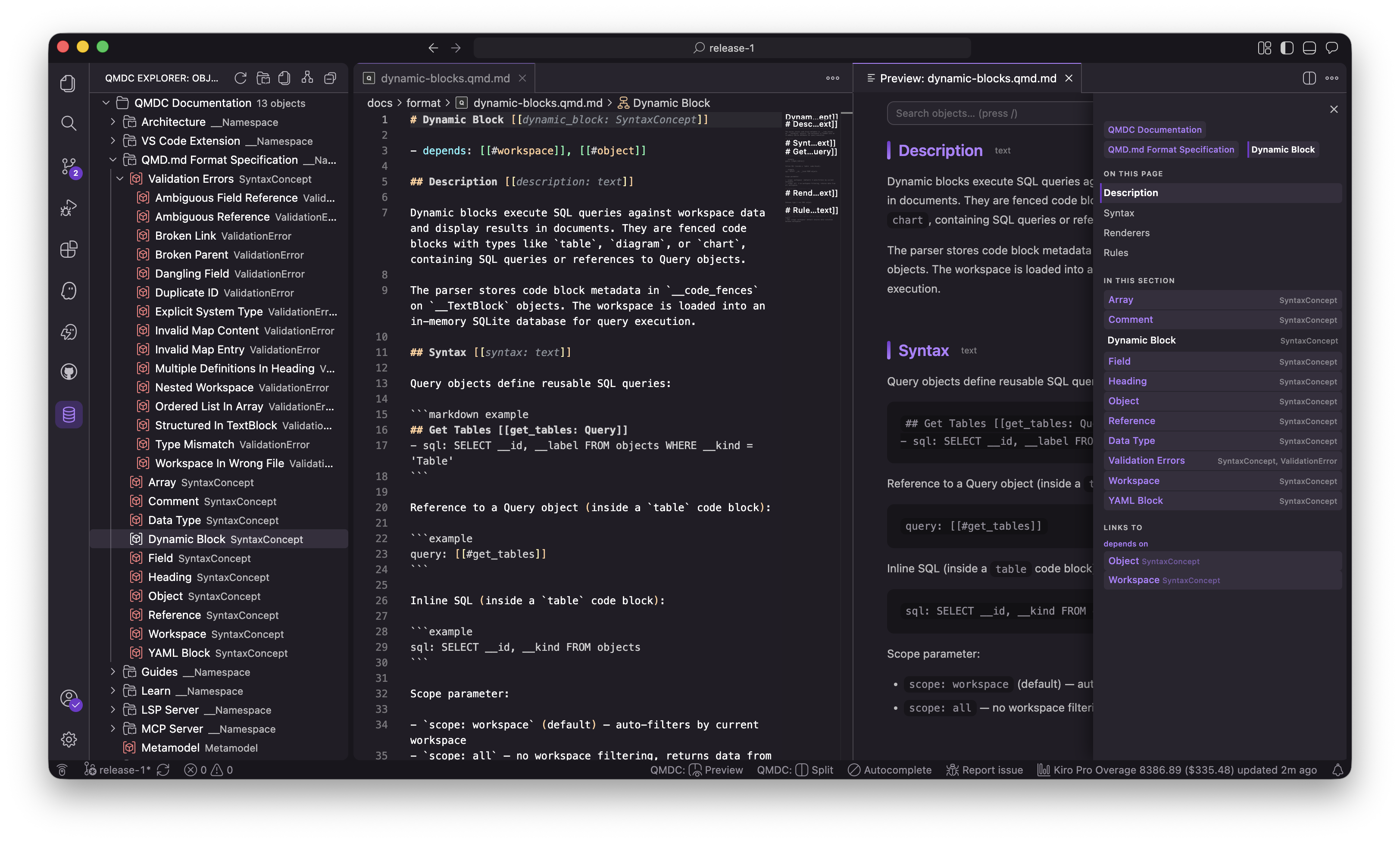
- MCP Server — Expose your project graph to AI agents over the Model Context Protocol (
qmdc mcp): search, SQL, graph walks, rename. - VS Code Extension — LSP-powered editing, live preview, SQL queries. Install from the VS Code Marketplace or Open VSX.
Tutorials
Learn QMDC by doing:
- Quickstart — zero to a working graph in 5 minutes
- Write Your First QMD.md File — a detailed lesson with explanations
How-to Guides
Recipes for specific tasks:
- Validate a Document — check for errors and fix them
- Query Your Graph — SQL queries against your workspace
- Build a Workspace — multi-file project from scratch
- Use with VS Code — IDE integration with diagnostics and navigation
Reference
- Format Specification — complete syntax reference (objects, fields, references, arrays, types)
- CLI Commands —
qmdc parse,validate,query,rebuild - VS Code Extension — commands, settings, views
- LSP Server — diagnostics, completion, navigation, refactoring
How It Works
## API Gateway [[gateway: Service]]

- port:8080
- depends:[[#auth]], [[#users]]

## Auth Service [[auth: Service]]

- protocol:JWT
- database:[[#postgres]]

## User Service [[users: Service]]

- depends:[[#auth]]
- database:[[#postgres]]

## PostgreSQL [[postgres: Resource]]

- version:16
One file. One parse. A queryable graph with typed edges — depends, database, protocol — all from plain Markdown.
Then query it like a database:
SELECT source_id, target_id FROM edges WHERE edge_type = 'depends'
| source_id | target_id |
|---|---|
| gateway | auth |
| gateway | users |
| users | auth |
Three parsers (Python, TypeScript, Rust). VS Code extension with LSP. SQL queries over your docs.