VS Code Extension [[extension: __Namespace]]
VS Code extension for QMDC — syntax highlighting, LSP integration, views, commands, and settings.
Install from the VS Code Marketplace or Open VSX — search QMDC (publisher mikilabs).
Capabilities [[capabilities: NarrativeDoc]]NarrativeDocOverview NarrativeDoc 75%Discovery Category 73%Semantic Configuration NarrativeDoc 71%
- about: Completion, Go to Definition, Find References, Document Symbol, Workspace Symbol, Rename, Diagnostics, Hover
Editor Features [[editor_features: text]]textUse QMDC with VS Code HowTo 82%Content Generator ContentGenerator 78%Show References ExtCommand 78%
The extension provides full IDE support for .qmd.md files:
- Syntax Highlighting via TextMate grammar
- Autocompletion for object IDs, Kinds, namespaces, references
- Hover preview of objects with their fields
- Go to Definition (Cmd+Click / F12) for
[[#id]]references - Find All References (Shift+F12) for objects
- Document Symbols (Cmd+Shift+O) — outline with object hierarchy
- Workspace Symbols (Cmd+T) — search objects across all files
- Rename Symbol (F2) — rename ID and update all references
- Diagnostics — broken links, duplicate IDs, validation errors
Requirements [[requirements: text]]textUse QMDC with VS Code HowTo 85%Components NarrativeDoc 80%Content Generator ContentGenerator 74%
The extension bundles the qmdc binary (QMDC Language Server) for each supported platform — no separate installation needed. Install it from the VS Code Marketplace or Open VSX (or sideload the .vsix for your platform) and it works out of the box.
If you need to use a custom build of qmdc (e.g., a development build), override the path in settings:
{
  "qmdc.server.path": "/path/to/custom/qmdc"
}
Views [[views: NarrativeDoc]]NarrativeDocNavigation Category 81%Visual Features Category 74%Document Symbol LSPFeature 72%
- about: Workspace Symbol
QMDC Objects Explorer [[objects_explorer: text]]textUse QMDC with VS Code HowTo 85%Get Tree McpTool 85%Dump Index Command 84%
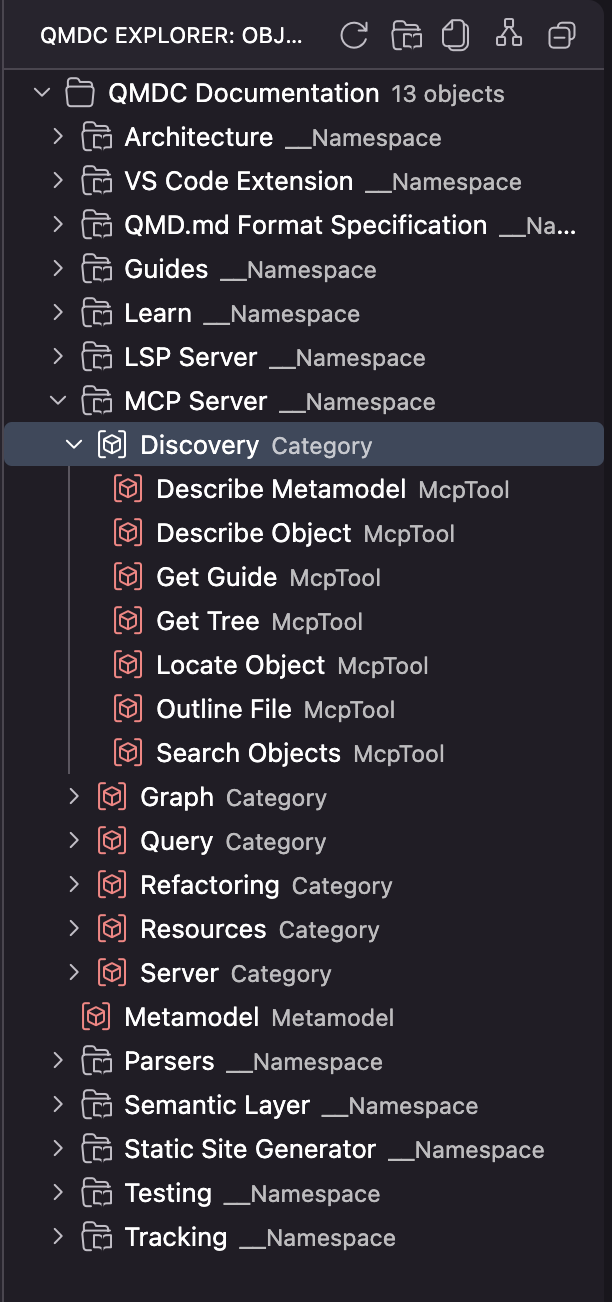
Tree view of workspace objects with grouping by namespace, files, or smart hierarchy.
Shows the hierarchical workspace structure:
- Workspaces — all QMDC workspaces in the project (multi-root support)
- Namespaces — logical object groupings
- Objects — all QMD.md objects with their kinds
Clicking an item opens the object definition. The explorer auto-refreshes on file changes.
- view_id: qmdcObjects
- location: activitybar
- container_id: qmdc-explorer
- grouping_modes: [namespace, file, smart]
QMDC Preview [[preview_panel: text]]textUse QMDC with VS Code HowTo 87%Open Preview ExtCommand 84%Open Preview Beside ExtCommand 76%
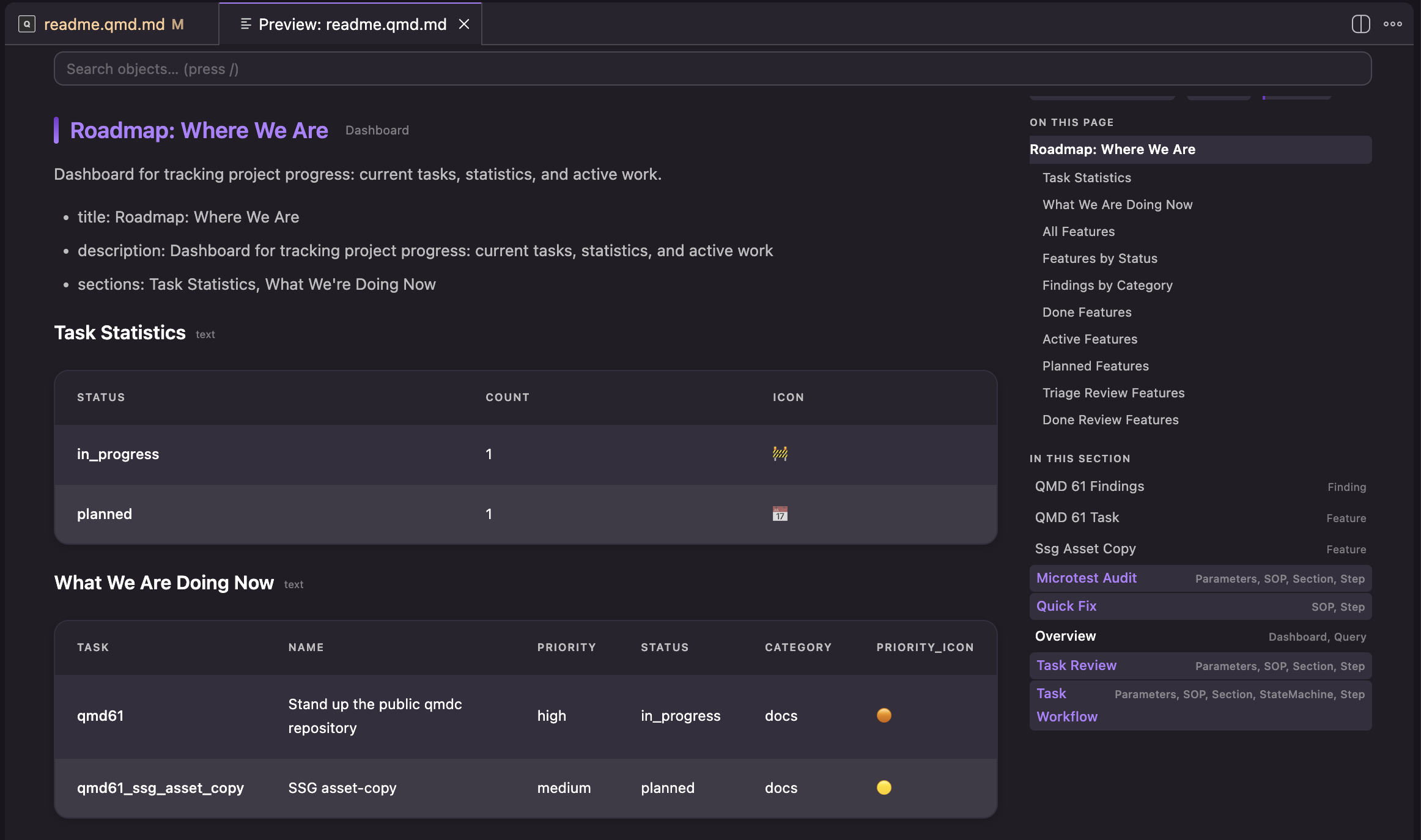
Webview panel for previewing QMD.md documents with rendered markdown and executed SQL queries.
Opened via the QMDC: Open Preview command. Shows:
- Rendered markdown with styled formatting
- Executed
tableblocks with SQL query results - Clickable
[[#ref]]links for navigating to definitions (via LSP go-to-definition) - Dimmed metadata
[[id]]and[[id: Kind]](hidden via CSSdisplay: none) - Mermaid diagrams (
mermaidcode blocks → SVG, bundled offline via mermaid.min.js) - Back/forward navigation (mouse back/forward buttons, Alt+Left/Right)
- Scroll-to-anchor on link navigation (auto-scroll to target object)
Preview auto-refreshes on document changes.
Rendering logic is extracted into src/preview-renderer.ts with a QueryExecutor interface for testability. Covered by 31 Playwright e2e tests (e2e/preview-render.spec.ts).
Settings [[settings: NarrativeDoc]]NarrativeDocOverview NarrativeDoc 74%Semantic Configuration NarrativeDoc 73%Recording Demos NarrativeDoc 73%
Server Path [[server_path_setting: text]]textUse QMDC with VS Code HowTo 75%Server Category 72%Workspace Workspace 67%
Path to the qmdc binary.
If empty, uses qmdc from PATH or searches in the workspace.
- key: qmdc.server.path
- type: string
- default: ""
Trace Server [[trace_setting: text]]textUse QMDC with VS Code HowTo 77%Components NarrativeDoc 69%Restart Language Server ExtCommand 68%
Tracing of communication between VS Code and the QMDC language server.
Levels:
off— no tracingmessages— message logging-
verbose— detailed logging -
key: qmdc.trace.server
- type: string
- default: off
- enum: [off, messages, verbose]
Dim Metadata [[dim_metadata_setting: text]]textUse QMDC with VS Code HowTo 71%Visual Features Category 67%Guide McpResource 66%
Dims [[id]] and [[id: Kind]] metadata for better readability.
When enabled, metadata is displayed in gray italic so it doesn't distract from the main content.
- key: qmdc.dimMetadata
- type: boolean
- default: true
Show Preview Button [[show_preview_button_setting: text]]textOpen Preview ExtCommand 87%Open Preview Beside ExtCommand 84%Use QMDC with VS Code HowTo 74%
Shows the Open Preview button in the editor title bar for .qmd.md files.
- key: qmdc.showPreviewButton
- type: boolean
- default: true
Build and Publish [[build_publish: NarrativeDoc]]NarrativeDocOverview NarrativeDoc 75%Recording Demos NarrativeDoc 74%Content Generator ContentGenerator 74%
Platforms [[platforms: text]]textValidation Errors SyntaxConcept 67%
The extension supports 6 platforms:
- macOS Apple Silicon (darwin-arm64)
- macOS Intel (darwin-x64)
- Linux x64 (linux-x64)
- Linux ARM64 (linux-arm64)
- Windows x64 (win32-x64)
- Windows ARM64 (win32-arm64)
Build Scripts [[build_scripts: text]]textOverview NarrativeDoc 76%
See qmdc-vscode/package.json scripts section:
npm run build— quick build for current platform (dev)npm run package:darwin-arm64— build for macOS Apple Siliconnpm run package:darwin-x64— build for macOS Intelnpm run package:linux-x64— build for Linux x64npm run package:linux-arm64— build for Linux ARM64npm run package:win32-x64— build for Windows x64npm run package:win32-arm64— build for Windows ARM64npm run package:all— build for all platforms
To release the extension, use the single canonical path from the repo root: make ext-bump then make ext-release (builds all 6 platforms and publishes to Open VSX, plus the VS Code Marketplace).
Versioning [[versioning: text]]text
npm run bump-version— increment patch version (0.2.0 → 0.2.1)npm run bump-version minor— increment minor version (0.2.0 → 0.3.0)npm run bump-version major— increment major version (0.2.0 → 1.0.0)npm run test:e2e— run Playwright e2e tests for preview rendering
Configuration Files [[config_files: text]]textUse QMDC with VS Code HowTo 74%Content Generator ContentGenerator 72%Components NarrativeDoc 71%
qmdc-vscode/package.json— extension manifest (contributes, scripts, dependencies)qmdc-vscode/language-configuration.json— language configuration (brackets, comments, auto-closing)qmdc-vscode/syntaxes/qmdc.tmLanguage.json— TextMate grammar for syntax highlightingqmdc-vscode/src/extension.ts— main extension fileqmdc-vscode/src/preview-renderer.ts— rendering logic for preview webview (extracted for testability)qmdc-vscode/src/qmdcTreeProvider.ts— QMDC Explorer tree view implementationqmdc-vscode/e2e/preview-render.spec.ts— Playwright e2e tests for preview renderingqmdc-vscode/playwright.config.ts— Playwright configuration